Checklist
What to put on a digital business card: a checklist, with five complete examples
The essentials, the extras that start conversations, and what to leave off, with five complete example cards for design, engineering, product and film.
On this page
What should be on a digital business card?
#Your name, a photo, what you do and where, one or two ways to reach you, the few links people actually use, and one thing that shows your work. Everything else has to earn its place.
A digital business card has far more room than paper, and that is the trap: it can hold everything, so people put everything on it. The person reading it gives it a few seconds. What follows is a checklist for those seconds, then five complete example cards with the reasoning behind each one.
Must
- Your name
- A photo of your face
- What you do, in one line
- One number or email you answer
Should
- Your website
- Two or three social links
- One project that shows your work
- Company and city
Skip
- Home address
- Personal social accounts
- Fax number
- Old job titles
- A long biography
Build it while the list is fresh: start your card at /build, no account needed to try it.
The checklist, item by item
#| Aspect | Include? | Why | From an example card |
|---|---|---|---|
| Name | Always | It is what they save you under | Élise Tremblay |
| Photo | Yes | Faces are what people remember | All five example cards |
| Title and company | One line | Tells them why to keep you | Partner, Structural Engineering, Halden & Reid |
| Mobile number | The one you answer | The most-used field later | +44 20 7946 0318 |
| The one you read | For anything longer than a call | sofia@nimbushealth.io | |
| Website | If you have one | Where the rest of you lives | watanabe.office |
| Address | Only if people visit | A city is usually enough | Clerkenwell, London |
| Social links | Two or three | Where people actually find you | Instagram and Behance |
| Projects | At least one | Starts the conversation | “Onboarding in 4 minutes” |
| Bio | One or two sentences | Context, not a CV | Kenji’s one-line studio description |
What’s the bare minimum for a digital business card?
#Your name, a line saying what you do, and one number or email address. That’s enough for someone to save you and find you again.
If you only have five minutes, fill in those three and publish. A card that exists beats a perfect card that doesn’t, and you can add to it at the same address later without changing the QR code.
Should I put my photo on my digital business card?
#Yes. A face is how people remember who you were weeks later, and a digital card can carry it into their contacts, which paper can’t.
A photo is the field that separates a digital card from a paper one. Paper can print a picture, but nothing carries it into the other person’s phone. A digital card can hand it over inside the contact file, so your face appears when you call or message them. How that works, and why some cards lose it on the way, is in how to make a contact QR code that saves your photo. Choose a clear, recent head-and-shoulders shot; it will be cropped to a circle.
Which contact details should I include?
#Include the mobile number you answer and the email you read, plus your website if you have one. Add a work address only if people actually visit you.
Every contact detail you add is one more thing that can go stale, and one more choice the other person has to make. One number and one email you actually use beat three of each. Here is what the Save button copies into their phone, and what stays behind on your card:
Copied into their contacts
- Photo
- embedded in the file
- Name
- Sofia Marchetti
- Title and company
- Head of Product, Nimbus Health
- Numbers and email
- +39 351 208 4471 · sofia@nimbushealth.io
- Website
- nimbushealth.io
- Address
- if you add one
- Social links
- 2 on this card
- Short bio
- saved as a note
- Link to your card
- ravencard.app/u/sofia-marchetti
Stays on your card
- Projects
- 3 here, with images and a link each
- Documents
- attached to projects
- The design
- colours, type and layout
- Your QR code
- the card’s own
The contact keeps a link back to the card, so the rest is one tap away.
How many social links should I add?
#Two or three: the ones where your contacts actually find you, such as LinkedIn for most professionals and Instagram or Behance for visual work. Ravencard’s free plan includes 3.
Every link competes with the others. Ask where someone who has just met you would look next: LinkedIn for most professional roles, Instagram or Behance for visual work, YouTube or Vimeo for film. On Ravencard Pro, links are unlimited, but the advice doesn’t change.
Can I put my portfolio or projects on a digital business card?
#Yes, and it’s the thing paper has no room for. On Ravencard, each project gets its own images, documents and a link you name yourself: one project with up to 3 images on the free plan, and up to 10 projects on Pro.
This is the section most checklists leave out, and the one that changes the conversation. “Structural engineer” is a job title. “The 68-metre footbridge over the Thames” is something to ask about. One well-chosen project, with a couple of images and a link, does more than a paragraph about your experience.
What should I leave off a digital business card?
#Leave off your home address, personal social accounts, fax numbers, old job titles, long biographies, and more than one call to action. If you wouldn’t say it in the first minute of meeting someone, leave it off.
The test is the first minute of meeting someone. You wouldn’t give a stranger your home address, your personal Instagram or your full career history in that minute, and a card is the same conversation in written form. Old titles and fax numbers are simply noise; more than one call to action (“book a call”, “see my portfolio”, “follow me”) means none of them gets done.
How long should the title line on my card be?
#One line: role and company, or role and what you make. Save the story for your projects.
“Head of Product, Nimbus Health” reads in a second. “Product leader passionate about human-centred healthcare innovation” does not, and says less. Put the passion in the projects.
What does a good digital business card look like?
#A good digital business card is recognisably one person: a clear photo, a one-line title, the two or three ways to reach them, and a few pieces of work, in a design that suits what they do.
The five cards below are the examples the whole site uses. The people are fictional, with generated portraits; the cards are real, drawn by the same code that serves every Ravencard, and you can open each one on the home page. For each, here is who it is for, what went on it, and why.
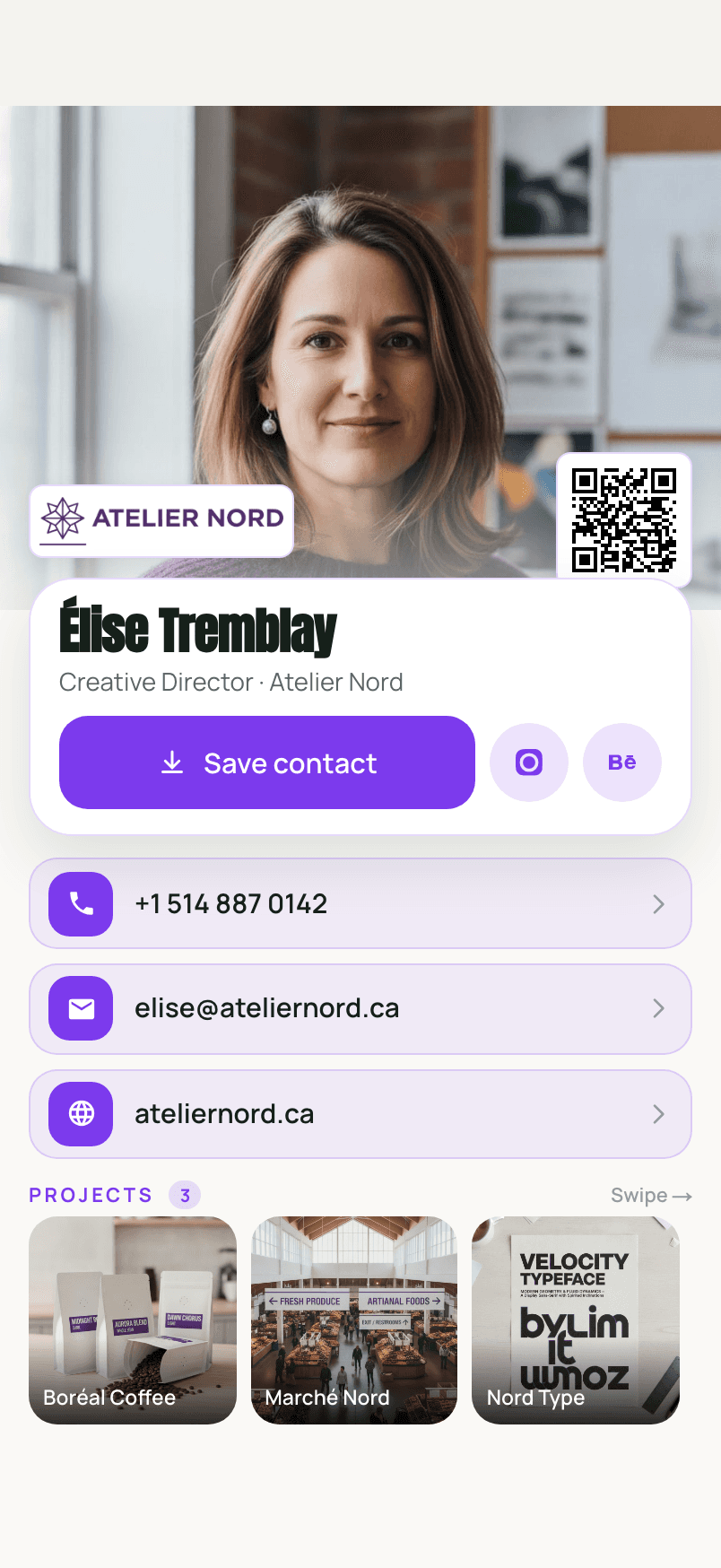
Élise Tremblay, creative director
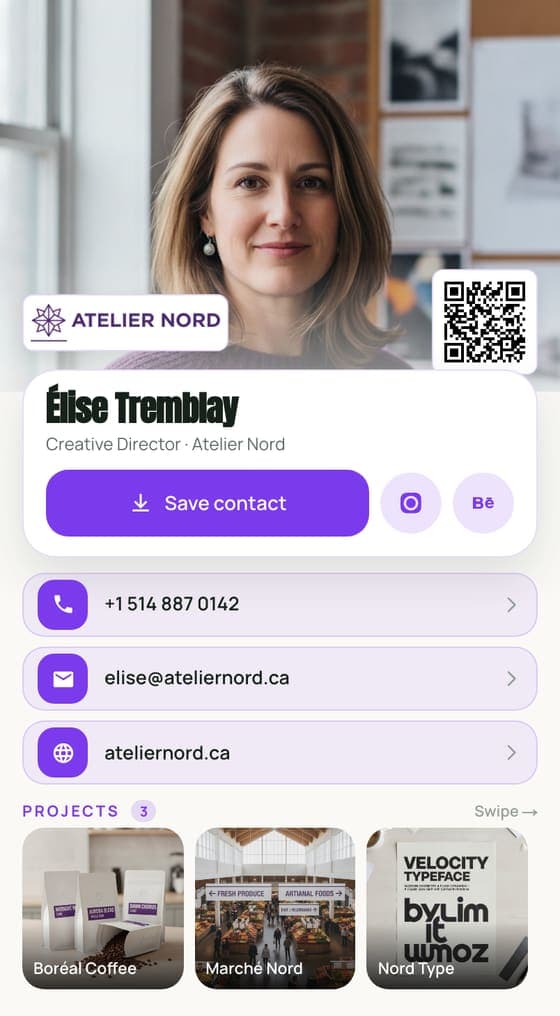
#A studio lives or dies by its portfolio, so the portfolio comes first: an identity for a coffee roaster, a market’s wayfinding, a typeface. The two links are the ones clients check, Instagram and Behance. There is no LinkedIn and no long bio; the work does the introducing.
Marcus Reid, structural engineer
#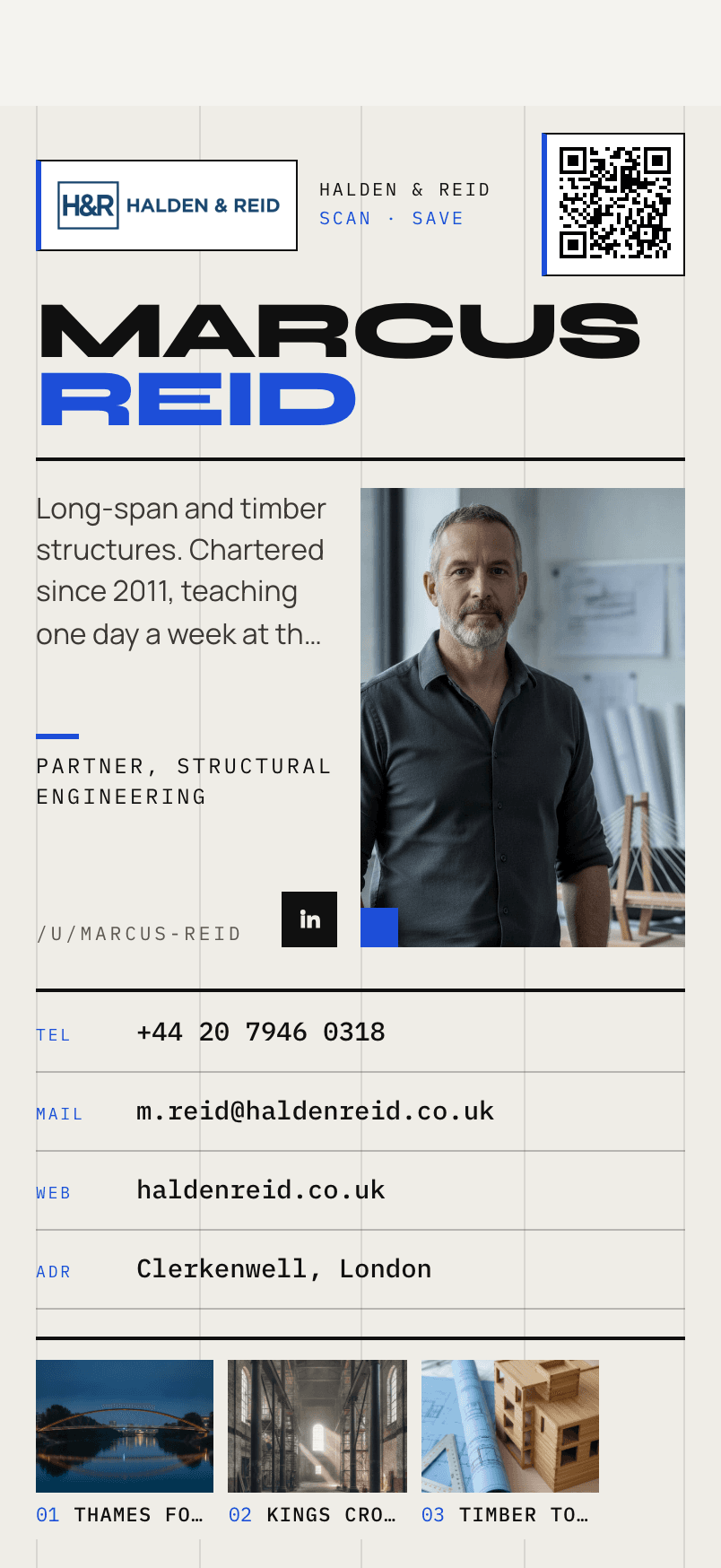
Engineering is a formal field, and the card behaves like it: a single LinkedIn link, an office address at city level because clients do visit, and projects that work as credentials. “Thames Footbridge” answers “what have you built?” before anyone asks.
Sofia Marchetti, head of product
#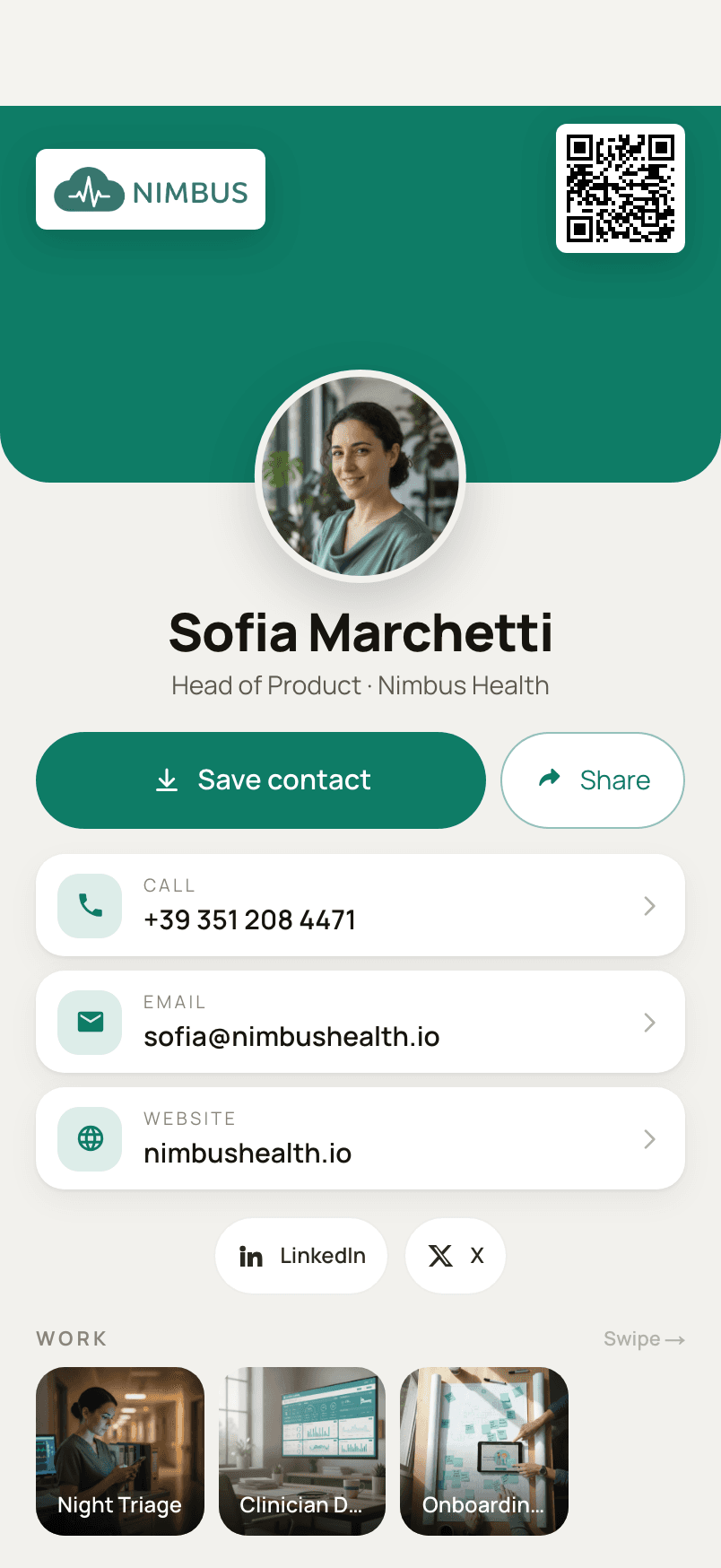
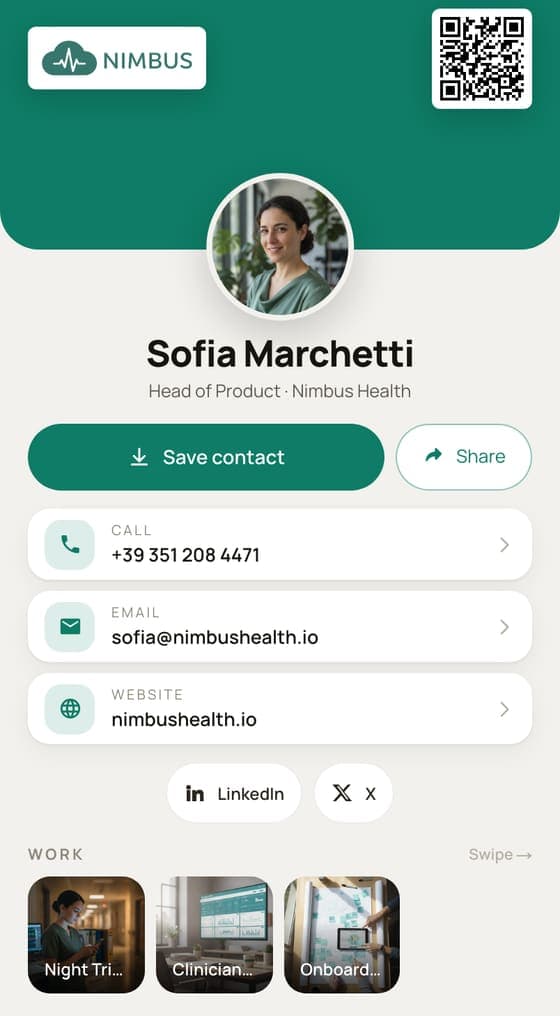
Product work is hard to show in a picture, so Sofia’s projects are named after results: a triage flow used in hospitals, onboarding cut to four minutes. LinkedIn and X are there because that is where product people follow each other.
David Okonkwo, director of photography
#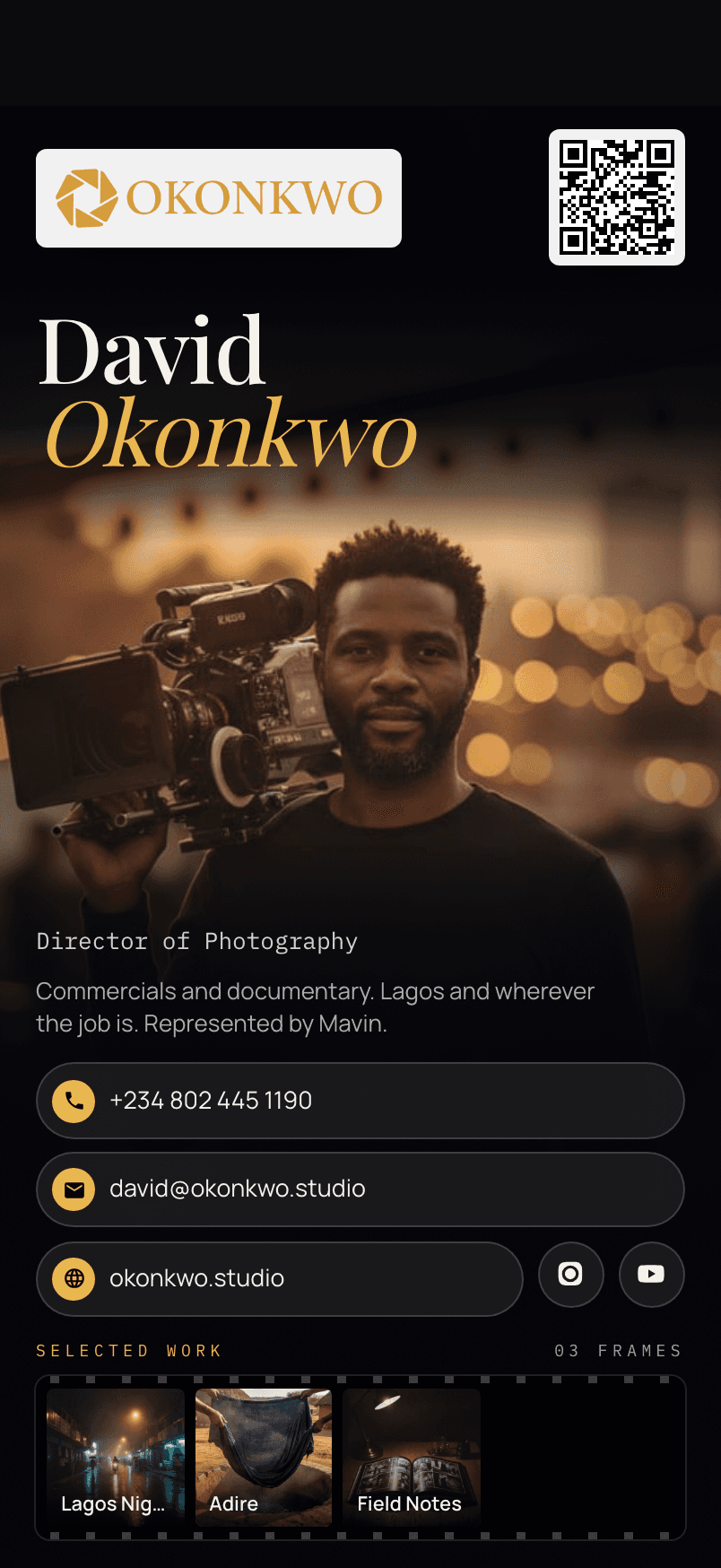
For a cinematographer the photograph and the design carry as much as the text: a dark, photographic layout that looks like his work. The links go straight to moving pictures, and each project has a link named for what it opens, such as “Watch the film”.
Kenji Watanabe, architect
#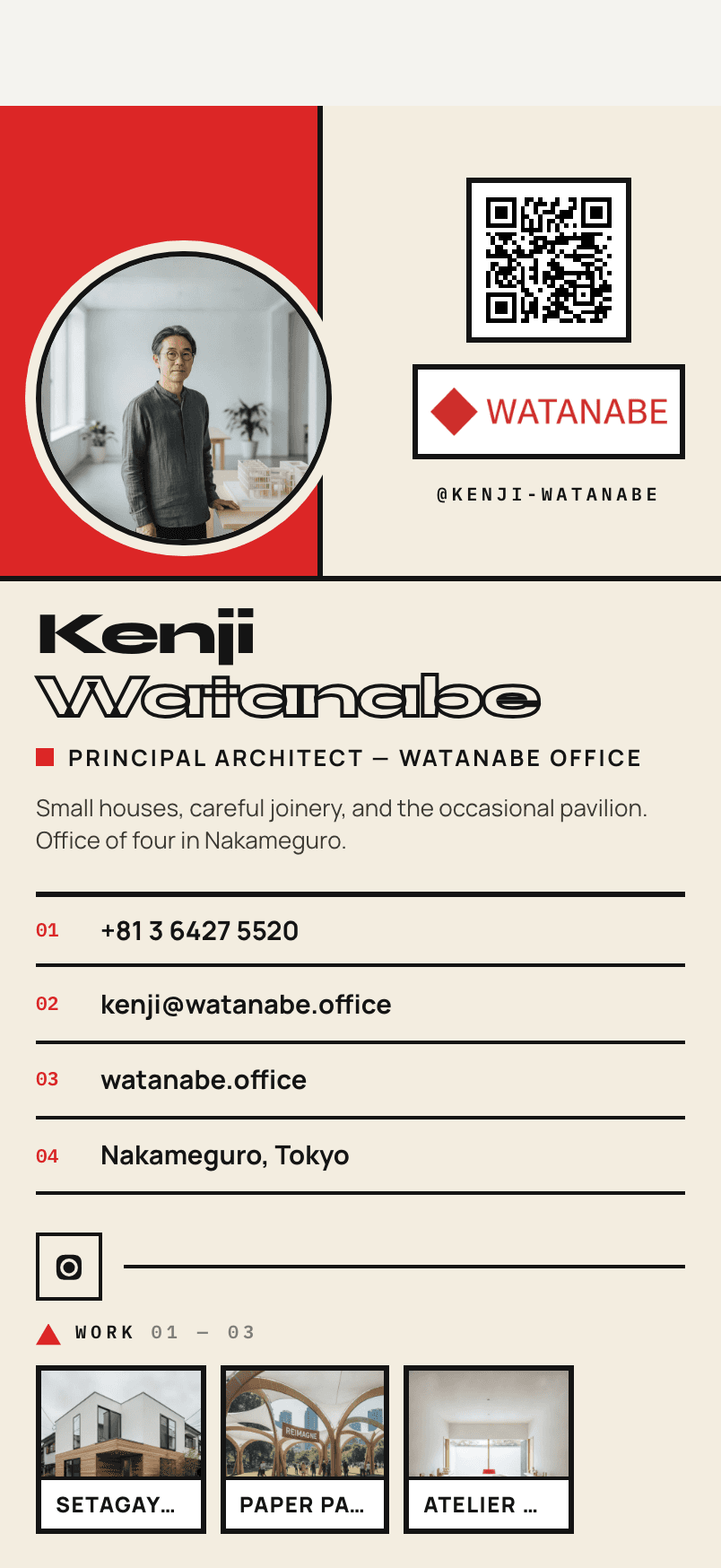
A small practice sells its buildings, so the card is mostly buildings, on a bold graphic design that says “architect” before the title does. Instagram is the one link, because that is where the work is posted.
All five are live. Open them on the home page and tap Save contact on your own phone to see what arrives.
Cards for different people
#What should a student or job seeker put on a digital business card?
#Your name, what you study or the role you want, an email address, LinkedIn, and one project that proves it. A single strong project beats a list of courses.
A student card has one job: to make the next conversation easy. The role you want in the title line, the email you check, LinkedIn, and a project that shows you can do the work, such as a thesis, a hackathon build, or a portfolio piece.
What should freelancers and creatives put first on a digital business card?
#Your work. Lead with the project most likely to start a conversation, then how to hire you.
Clients hire freelancers for what they have made, so the order on the card should follow the order of the decision: the work, then who you are, then how to reach you. One link called “Book a call” or “Hire me” is worth more than five social icons.
Three more, in a line each:
- Sales: the number you answer, your company, and one piece of proof, such as a case study.
- Consultants: your speciality in the title line and one engagement described as an outcome.
- Estate agents: your agency, your area, and one current listing as a project.
Design and upkeep
#Should my digital business card match my brand?
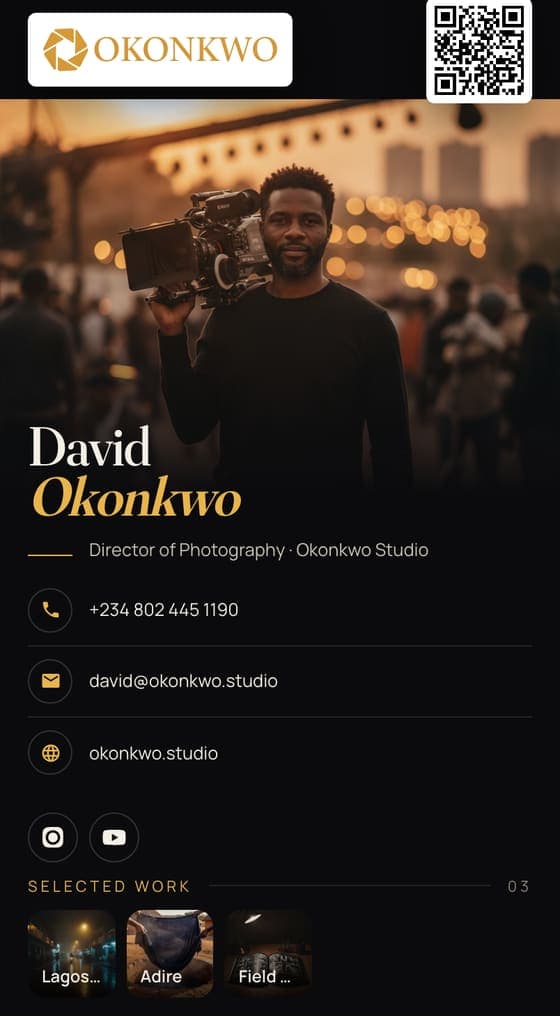
#It should at least look deliberate: one colour, one typeface, a photo that fits. Ravencard has 29 designs; the free plan uses one (Ledger), and Pro unlocks every design plus custom colour, ground, pattern and typeface on three basics.
 Ledger
 Swiss
Swiss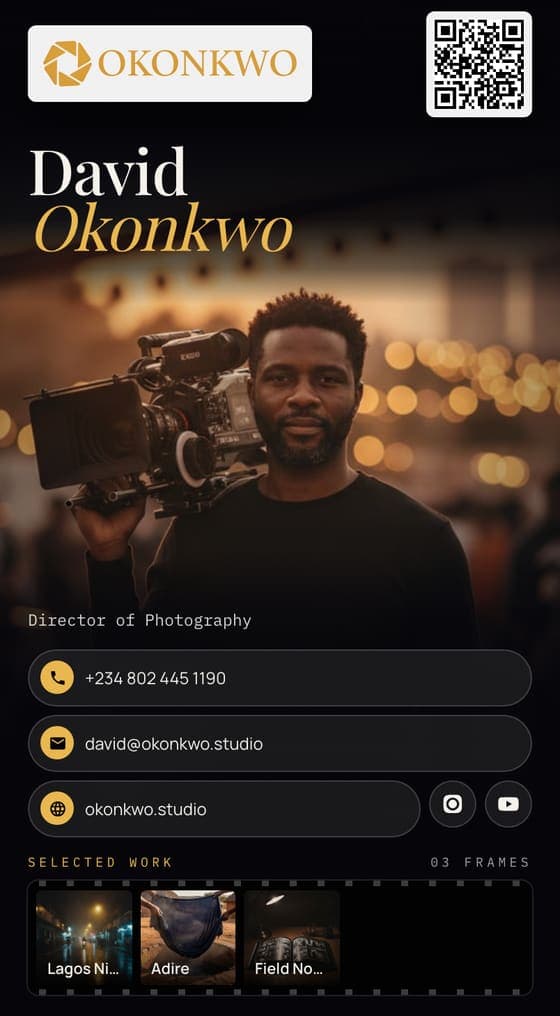 Noir
Noir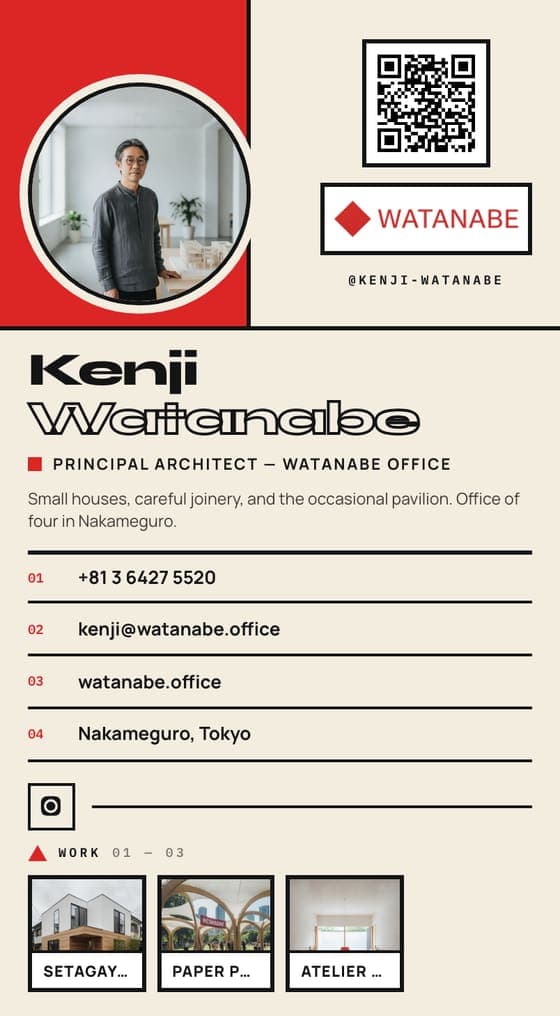 Bauhaus
 Portrait
 Hero
Hero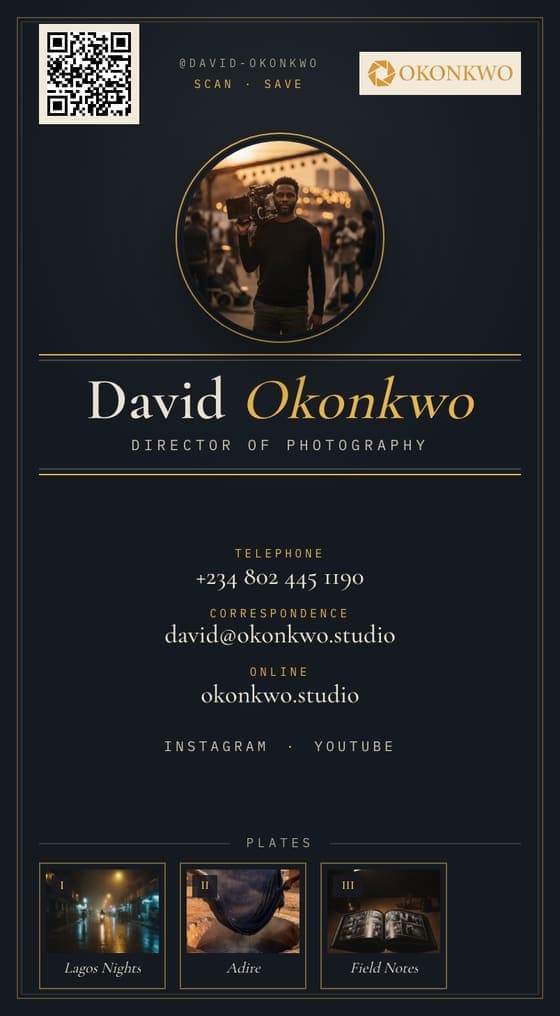 Letterpress
 Orbit
Orbit
A design is not decoration; it is the first thing the other person reads. A photographic design suits a photographer, a strict grid suits an engineer. Whatever you pick, keep one colour and one typeface, and use a photo that sits comfortably in it. The pricing section shows exactly which designs and features each plan includes.
How often should I update my digital business card?
#Update it whenever something changes. The card updates at the same address and the QR code stays the same. People who already saved you keep the old copy, so tell key contacts when something big changes.
Updating is the whole point of having the card at an address. Change jobs, change numbers, finish a project: edit the card and the same QR code shows the new version to anyone who opens it. The contacts people saved before the change are copies, and they include a link back to your card, so a quick message to the people who matter closes the gap.
How is what goes on a digital card different from a paper card?
#Paper has room for a name, a title and two numbers. A digital card has room for your face and your work, but it still has to be read in a few seconds, so the same discipline applies.
The extra room is an opportunity, not a requirement. For the wider comparison (cost, the handover, what each kind does better), see digital vs paper business cards.
Build it now
#With the checklist in one line: name, face, what you do, one way to reach you, a few links, one piece of work.
Build your card at /build, compare the plans on the pricing section, and come back to this page when it’s time for a second look.
Questions, answered briefly
#- Should a digital business card have a bio?
- A short one helps: one or two sentences on what you work on, in plain words. Ravencard saves it into the contact as a note, so keep it to something you would be happy to see there.