FAQ
Digital business cards: 159 questions, answered briefly
Short, straight answers to what people search about digital business cards: QR codes, NameDrop, vCards, NFC, scanning paper cards, privacy and what it costs.
On this page
These are the questions people actually type about digital business cards, taken from Google and Bing search suggestions on 4 October 2026, each answered in a few lines. We make Ravencard, a digital business card for iPhone; where it can’t do something (NFC, Apple Wallet, Android), the answer says so and points elsewhere.
The basics
#Are digital business cards actually a thing?
#Yes. A digital business card is a page or contact file you share from your phone instead of handing over paper. The biggest apps in the category have tens of thousands of App Store ratings each, so plenty of people use them.
Do digital business cards really work?
#They work when the other person can save you in one step. A QR code that opens a page with a Save contact button works on almost any modern phone; a card that is only an image, or that asks people to install an app, works much less well.
Are digital business cards a good idea?
#For anyone who meets people regularly, yes: the card stays correct when your details change, it never runs out, and it can carry more than a title. Keep a few paper cards for rooms where people still expect one.
How popular are digital business cards?
#There is no reliable public figure for how many people use them, and the statistics that circulate rarely have a source. What is visible is that the leading apps (Blinq, Popl, HiHello) each have between about 45,000 and 130,000 ratings on the US App Store.
What is the “electronic business card” on an iPhone?
#iPhone has no feature with that name. People usually mean My Card, your own entry in Contacts, which you can share as a contact file, or NameDrop, which swaps contacts between two iPhones held close together. Outlook for Windows also has an “electronic business card” view for contacts.
What size is a digital business card in pixels?
#A digital card is usually a web page, so it has no fixed size. If you are making an image of a card, a common size is 1050 × 600 pixels, which is the standard 3.5 × 2 inch card at 300 dpi.
What format is a digital business card: a link, an image, a PDF or a vCard?
#The best ones are two things at once: a link to a page people can look at, and a vCard (.vcf) file behind a Save contact button that puts you in their address book. An image or a PDF can only be looked at; someone still has to type you in.
Is a business card the same as a visiting card or a name card?
#Yes. “Visiting card” is common in India and the UK, and “name card” in much of Asia. They all mean the card with your name and contact details.
What is a QR code business card?
#It is a card, on paper or on a screen, with a QR code that opens your contact details when scanned. The code usually holds a link to your card page rather than the details themselves.
How does a QR code business card work?
#The other person points their phone camera at the code, taps the link that appears, and your card opens in their browser. A Save contact button then adds you to their contacts. They need no app.
What is an online business card?
#Another name for a digital business card: a web page with your name, role, contact details and links, which you share by QR code or link.
Why use a digital business card instead of a paper one?
#It saves into the other person’s phone in a tap, it stays correct when you change jobs or numbers, it can carry your photo and your work, and you never run out. Paper still wins where there is no signal or where exchanging cards is a ritual.
What is a business card actually for?
#To make it easy for someone you have just met to remember you and get back in touch. Everything on the card should serve that: who you are, what you do, and the one or two ways you want to be contacted.
Making one
#How do I make a digital business card on my iPhone?
#Download a card app such as Ravencard, add your name, title, photo and contact details, pick a design, and you get a QR code and a link to share. In Ravencard it takes a few minutes, and one card is free.
How do I put my business card on my iPhone?
#Either fill in My Card in the Contacts app and share it as a contact, or make a digital card in an app and keep its QR code ready to show. The app route gives you a code anyone can scan; My Card only shares to people you message or AirDrop.
How do I make a digital business card for free?
#Most card apps have a free plan. Ravencard’s is free for as long as you keep it: one card on the Clean design, your photo, 3 social links and one project. You can start it in a browser at ravencard.app/build.
How do I make a free digital business card with a QR code?
#Use a card app with a free plan: it creates the card and the QR code together, and the code keeps working when you edit the card. A free QR generator alone gives you a code but no card behind it.
How do I make a digital business card on Android?
#Several apps work on Android, including HiHello, Blinq, Popl and Wave Connect. Ravencard has no Android app yet; its builder runs in a web browser at ravencard.app/build, and anyone on Android can scan and save a Ravencard.
Can Canva make a digital business card that saves to contacts?
#Canva makes a good-looking image or PDF, but an image cannot be saved into someone’s contacts. You can put a QR code on your Canva design that opens a card with a Save contact button.
Can I make a digital business card in Outlook?
#Outlook for Windows can show a contact as an “electronic business card” and send it as a .vcf attachment by email. It is not something people can scan from your phone, so it suits email rather than meetings.
How do I make a digital business card to send on WhatsApp?
#Make the card in an app, copy its link, and paste the link into the chat. WhatsApp shows a preview, and the other person taps through to save you. Sending your card as an image means they have to type you in.
Can I make a digital business card as a PDF?
#You can, but a PDF is only something to look at: nobody can save you to their contacts from it. If you need a PDF, add a QR code or link on it that opens a saveable card.
How do I make a professional-looking digital business card?
#Use a real, recent photo; one clear title; two or three ways to reach you, not ten; and a design with enough contrast to read at arm’s length. Ravencard has 27 designs you can recolour so the card matches your brand.
How do I make a digital business card that shows what I offer?
#Add your work, not just your title: a few projects with pictures, a short line on what you do for whom, and a link to see more. In Ravencard each project can carry images, documents and a link.
Where can I make a digital business card?
#In a card app on your phone (Ravencard, HiHello, Blinq, Popl, Wave Connect and others), or in a browser with a web builder such as ravencard.app/build.
How do I make a digital business card with my logo?
#Most card apps let you add a company logo next to your name. Ravencard places your logo on the card, and the designs change around it; your photo stays the main picture.
Where can I find free digital business card templates?
#Card apps include their own designs. Ravencard’s 27 templates can all be seen at ravencard.app/designs; the Clean design is free and the others come with Pro.
What’s the best app for making business cards?
#For digital cards it depends on what you need: NFC, teams, unlimited scanning or design. We compared ten apps with prices checked on 4 October 2026 in our digital business card apps comparison.
Sharing and QR codes
#
How do I send my digital business card in a text message?
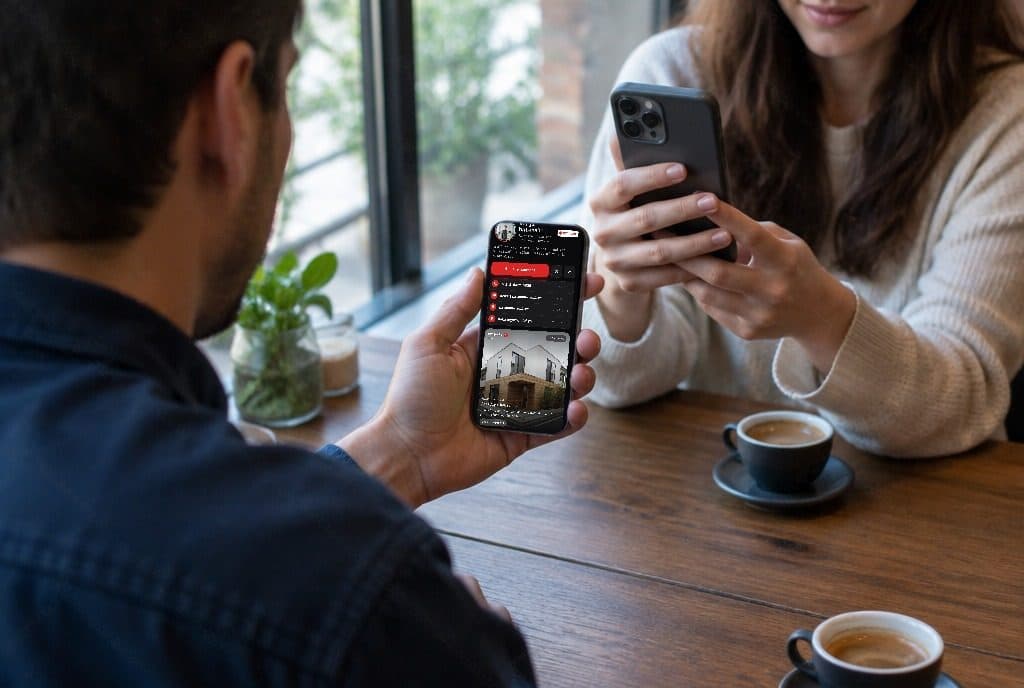
#Copy your card’s link and paste it into the message. On an iPhone the link shows a preview, and the person taps it to open your card and save you.
How do I add my digital business card to my email signature?
#Add your card’s link to your signature as a line such as “Save my contact”. A link works better than a QR image in an email, because people read email on the phone they would need to scan with.
How do I add a QR code to my email signature?
#Save the QR code as an image and insert it into your signature in your email app’s settings. Keep it small, and put the link next to it for people reading on a phone.
How do I put a QR code on a business card?
#Use a code that opens a card you can update, print it at least about 2 cm (0.8 in) wide with a clear margin around it, and test it with two different phones before you order the print run.
Where’s the best place for a QR code on a business card: front or back?
#Usually the back, with a short label such as “Scan to save my contact”, so the front stays clean. Put it on the front only if scanning is the main thing you want people to do.
What should the QR code on my business card link to?
#To a page you can change later, such as your digital card, not to a contact baked into the code. Then the printed card stays correct even after your number or title changes.
Are QR codes on business cards tacky?
#Not when they have a clear purpose and a label. A small code that saves your contact is useful; a large one that opens a generic home page is not.
Do QR codes expire?
#The code itself never expires. A code that holds a link stops working only if the link stops working, for example when a paid QR service shuts the redirect off after a subscription ends.
Where can I make a free QR code that doesn’t expire?
#Any generator that makes a static code pointing straight at your own link: the code will work as long as the link does. Codes made by card apps point at your card, so they keep working while your account exists.
Can I make a QR code for free?
#Yes. Many websites make static QR codes for free, and on iPhone the Shortcuts app can generate one. Card apps make one for your card automatically.
How do I put my QR code on my iPhone lock screen?
#Take a screenshot of your QR code and set it as your lock screen wallpaper, leaving room at the top for the clock. Ravencard’s card page can also be added to your Home Screen, so the code is one tap away.
Can I share my digital business card from an Apple Watch?
#NameDrop works from a recent Apple Watch to an iPhone. Ravencard has no Apple Watch app, so a Ravencard is shared from the iPhone.
Can someone scan a QR code that’s on their own phone’s screen?
#Not with the camera, but on an iPhone they can open a screenshot of the code in Photos and touch and hold it to open the link. That is why you should send a link, not a QR image, in messages and email.
Why won’t a QR code scan?
#The usual reasons are glare on the screen, a screen that is too dim, a code that is printed too small or without a margin, low contrast, or a damaged print. Turn your brightness up and hold the phone steady about 20 cm away.
How do I share my contact as a QR code from an Android phone?
#Many Android contacts apps, Samsung’s for example, can share a contact as a QR code from the contact’s share menu. A card app gives you a code that also opens a page with your photo and links.
How do I share my WhatsApp contact QR code?
#In WhatsApp, open Settings and tap the QR icon next to your name. That code opens a WhatsApp chat with you; it does not give someone your other details.
What’s the quickest way to swap numbers with someone?
#Between two iPhones, NameDrop: hold the tops of the phones close together and choose what to share. With anyone else, show a QR code that opens your card; they scan it and tap Save contact.
How do I share my contact info by tapping phones?
#On iPhone that is NameDrop, in iOS 17 and later: hold your iPhone near the top of another iPhone or a recent Apple Watch and choose Share. It only works between Apple devices.
How do I share a digital business card electronically?
#Show its QR code in person, or send its link by text, WhatsApp, email or LinkedIn message. People who prefer a file can be sent the contact as a .vcf attachment.
iPhone: My Card, NameDrop and Contact Poster
#What is “My Card” on iPhone?
#My Card is your own entry in the Contacts app. iPhone uses it to fill in forms, it is what NameDrop shares, and you can send it to people as a contact.
How do I set up or edit my contact card on iPhone?
#Open Contacts and tap My Card at the top, then Edit. If no card appears, create a contact for yourself and choose it in Settings, under Contacts, as My Info.
How do I share my contact card on iPhone in Messages?
#Open Contacts, tap My Card, tap Share Contact, and choose Messages. You can untick the fields you don’t want to send before it goes.
Can my iPhone make a QR code of my contact card without an app?
#Not from the Contacts app. The Shortcuts app can turn text into a QR code, but a QR code is too small to hold your photo. A card app gives you a code that opens a page with a Save contact button that includes the photo.
Who can see my contact card on iPhone? Is it public?
#No. My Card stays on your iPhone and in your iCloud account. People see it only when you share it, or see your name and photo when Name & Photo Sharing is on and you call or message them.
What is NameDrop and how does it work?
#NameDrop, in iOS 17 and later, lets two iPhones swap contact details when you hold them close together. Each person chooses whether to share their card back or only receive.
What does NameDrop share? Does it share my address?
#It shares your name, the phone number or email address you choose, and your Contact Poster. It does not share your home address or other fields on your card.
Does NameDrop work with Android?
#No. NameDrop only works between iPhones running iOS 17 or later and recent Apple Watches. For Android, use a QR code that opens your card.
Why is NameDrop not working?
#Both iPhones need iOS 17 or later, both need to be unlocked, and Bringing Devices Together must be on (Settings, General, AirDrop). Hold the tops of the phones close and wait a moment.
Does NameDrop use NFC?
#Apple doesn’t describe the technology in detail. It starts when two devices are within a few centimetres, then completes over a wireless connection; it isn’t an NFC tag you can program.
Is NameDrop safe?
#Yes, within its design: both phones must be unlocked and very close, and each person chooses what to share. Nothing is sent until you tap Share or Receive Only.
How do I turn NameDrop on or off?
#Go to Settings, then General, then AirDrop, and switch Bringing Devices Together on or off.
Can I NameDrop from my Apple Watch?
#Yes, with a recent Apple Watch on watchOS 10.1 or later: open Contacts on the watch, tap your photo, tap Share, and bring the watch close to the other person’s iPhone.
What is a Contact Poster on iPhone, and what does it share?
#It is the full-screen picture and name that appears on other iPhones when you call them, introduced in iOS 17. It shares your chosen name and image, and NameDrop includes it.
Why isn’t my Contact Poster showing on other people’s iPhones?
#The other person needs iOS 17 or later and usually needs you in their contacts. Check that Name & Photo Sharing is on in your My Card settings, and note that they may have to accept your update or may have set their own photo for you.
Does Contact Poster work on Android?
#No. Contact Posters are an iPhone feature and do not appear on Android phones.
What’s the difference between a Contact Poster and a contact photo?
#The contact photo is the small round picture in Contacts and Messages; the Contact Poster is the large image shown when you call. You can set both from My Card.
Why doesn’t my photo show up when I call someone on iPhone?
#They may not be on iOS 17 or later, Name & Photo Sharing may be off, they may not have you saved, or they may have chosen their own picture for you.
Why aren’t contact pictures showing up in Messages?
#Check Settings, then Messages, and make sure Show Contact Photos is on. Contacts with no photo show initials instead.
NFC, Apple Wallet and Android
#Ravencard has no NFC card, no Wallet pass and no Android app, so these answers are neutral. Where another app does it, we say which, with the price we read on 4 October 2026.
What is an NFC business card?
#A card, sticker or key fob with a small chip that sends a link to a phone held against it. The link usually opens a digital business card.
How do NFC business cards work?
#The chip holds a web address. When a phone with NFC comes within a few centimetres, it reads the address and offers to open it. The chip needs no battery.
Do NFC business cards work with iPhone?
#Yes. iPhone XS and later read NFC tags in the background when the screen is on; hold the top of the iPhone against the card.
NFC or QR code: which is better on a business card?
#A QR code works with any phone camera and costs nothing; NFC is a quicker tap but needs a chip card and a phone that reads it. Many people use a card with both.
How much do NFC business cards cost?
#On 4 October 2026, Blinq’s NFC products ran from $14.99 for a phone sticker to $34.99 for a metal card, and Wave Connect’s NFC card was $23, both without a subscription. Custom designs cost more.
Can I use my phone as an NFC business card?
#Not as a tap tag: phones read NFC tags rather than acting as one for this. Between iPhones, NameDrop does a similar job; with anyone else, show a QR code.
Does my iPhone have NFC?
#Every iPhone since the iPhone 7 can read NFC tags, and the iPhone XS and later can do it in the background without opening an app.
Can I program my own NFC business card?
#Yes. Buy blank NFC tags or cards (NTAG213 or NTAG215 are common) and write your card’s link to them with an NFC writing app. Lock the tag afterwards if you don’t want it rewritten.
Are NFC business cards safe?
#An NFC card only holds a link, like a QR code, and the phone shows the link before opening it. The main risk is an unlocked tag being rewritten, so lock it after writing.
How do I add a business card to Apple Wallet?
#Some card apps create a Wallet pass, including HiHello, Blinq, Mobilo, Wave Connect and V1CE. Ravencard doesn’t; you show its QR code from the app or your Home Screen.
Can I add a business card to Google Wallet?
#Yes, with apps that support it: HiHello, Blinq, Mobilo, Wave Connect and V1CE document Google Wallet passes. Ravencard does not have one.
Is there a digital business card app for both iPhone and Android?
#Yes: HiHello, Blinq, Popl, Mobilo and Wave Connect run on both. Ravencard is iPhone-only for the person making the card, but anyone with an Android phone can scan it and save you.
How do I scan a business card on a Samsung or Android phone?
#Google Lens can read the text from a card, and Android card apps such as HiHello or Haystack scan cards into contacts. Ravencard’s scanner is on iPhone.
vCards, .vcf files and contact photos
#What does vCard mean?
#vCard is the standard file format for a contact, used by iPhone, Android, Outlook and Gmail. A vCard file ends in .vcf.
What is a vCard QR code?
#A QR code that holds a contact in vCard format, so scanning it offers to add the contact. Because a QR code holds at most about 3 KB, it cannot include a photo.
How does a vCard work?
#It is a short text file with labelled fields such as name, phone, email and photo. When you open it, the phone reads the fields and offers to create a contact.
vCard or .vcf: what’s the difference?
#None in practice: vCard is the format and .vcf is the file extension. A “.vcf file” is a vCard.
vCard or MeCard: which should a contact QR code use?
#MeCard is shorter, so the code is smaller and easier to scan, but it holds fewer fields. vCard holds more. Neither can carry a photo inside a QR code, which is why many cards use a link instead.
How do I open a .vcf file on iPhone?
#Tap it in Mail, Messages or the Files app. iPhone shows the contact, and you tap Create New Contact or Add to Existing Contact.
How do I import a vCard into my iPhone contacts?
#Open the .vcf file on your iPhone and tap Create New Contact. If the file holds several contacts, iPhone offers to add them all.
How do I create a .vcf file on iPhone?
#Open the contact in Contacts, tap Share Contact, and choose Save to Files. The saved file is a .vcf you can send anywhere.
How do I attach a vCard to an email?
#On iPhone, open the contact, tap Share Contact and choose Mail; the vCard is attached. In Outlook or Gmail on a computer, attach the .vcf file like any other file.
Why can’t I import a vCard on Android?
#Open it from the Contacts or Google Contacts app’s Import option rather than from a messaging preview. Very old vCard versions or unusual text encoding can also cause trouble.
Can one vCard hold more than one contact?
#Yes. A single .vcf file can hold many contacts one after another, which is how address books are exported.
Is it safe to open a .vcf file?
#A .vcf is a text file, not a program, so opening one is generally safe. Be as careful with the links and numbers inside it as with any message from someone you don’t know.
What size should a vCard photo be?
#Square, a few hundred pixels wide, and small enough to send quickly. Ravencard embeds a 600 × 600 JPEG of under about 190 KB.
Can I put my logo or photo in the middle of a QR code?
#Yes, with a high error-correction level the code still scans with a small image covering its centre. Keep the image small and test the code on several phones.
Scanning and organising paper cards
#
Can I scan a business card with Google Lens?
#Yes. Lens reads the text on the card, and you can copy it or, on many phones, add it as a contact. Check each field before saving.
How do I scan business cards into Google Contacts?
#Use an Android scanner or Google Lens, or scan on iPhone with your Google account set as the default for Contacts (Settings, Contacts, Default Account); new contacts then sync to Google.
How do I scan business cards into Outlook?
#Dedicated scanner apps can export contacts as files that Outlook imports. Ravencard does not export to Outlook; it saves scanned cards as contacts on your iPhone.
How do I scan business cards into Excel?
#Use a scanner app that exports to CSV and open the file in Excel. Ravencard does not export to CSV or Excel.
Can I scan business cards into HubSpot or Salesforce?
#HubSpot’s mobile app includes a card scanner, and Salesforce users usually add a scanner from its app marketplace. Ravencard does not connect to either.
Can I scan a business card into Contacts on a Mac?
#With Live Text on a Mac you can copy text from a photo of the card and paste it into a new contact. It is quicker on an iPhone with a scanner app.
How do I store business cards digitally?
#Scan each card into your contacts with a note of where you met, add a tag such as the event’s name, and keep the photo of the card with the contact. Then you can recycle the paper.
Is there an app that scans business cards into contacts?
#Yes, several. Ravencard reads a photographed card into fields and files it as a contact (5 scans free, 1,000 on Pro); HiHello, Blinq and Haystack also scan.
What’s a good alternative to Evernote Scannable?
#For business cards, a card app with a scanner files each card as a contact instead of a document. For other paper, the Notes app on iPhone has a built-in document scanner.
What’s a good free alternative to CamCard?
#Haystack’s free plan includes unlimited AI scanning, HiHello’s free plan includes five scans a month, and Ravencard’s free plan includes five in total.
Should I keep business card photos in my contacts?
#It helps: the photo of the card keeps details the fields may have missed and reminds you of the person. Ravencard keeps the card’s photo with each scanned contact.
Networking events and follow-up
#Do I need business cards for a networking event?
#You need a fast way to be saved. A QR code on your phone does it for most people; carry a few paper cards for anyone who prefers one or has no signal.
How many business cards should I bring to a conference?
#Roughly the number of people you expect to talk to, plus a margin. With a digital card the question goes away: the code never runs out.
What’s the best way to share contact info at a conference?
#Show a QR code that opens your card and saves you in one tap. It works with any phone and lets people see your photo, so they remember who you were.
How do I follow up after a networking event?
#Within a day or two, send a short message that names where you met and one thing you talked about, and suggest one concrete next step.
How do I write a follow-up email after a networking event?
#Use a subject line that names the event, remind them of your conversation in one sentence, offer something useful, and end with a clear, easy next step. Add your card link in the signature.
How do I keep track of the people I meet networking?
#Save them right away with a note of where you met and a tag for the event. Scanning paper cards on the same evening keeps the details fresh.
What is business card etiquette?
#Offer your card after an introduction, not before; take a card with interest and look at it; don’t write on someone’s card in front of them; and follow up if you said you would.
How do you exchange business cards in Japan, China or Korea, and is a digital card OK there?
#Offer and receive cards with both hands, read the card before putting it away, and keep it on the table during a meeting. Digital cards are increasingly common, but carry printed cards for formal first meetings.
Why do shared contacts get lost in people’s phones?
#Because a name and a number alone mean nothing a month later. A contact that carries your photo, your company and a note of where you met is much easier to recognise.
Privacy, safety and tracking
#Is it safe to share my QR code?
#It is as safe as handing out your card: anyone who scans it sees what your card shows. Put on it only what you would print on paper.
Is it safe to scan a QR code?
#Usually, as long as you check where it leads. On iPhone the camera shows the web address before opening it; don’t open codes stuck over other codes, and don’t enter passwords on a page you reached by scanning.
Can you get hacked by scanning a QR code?
#Scanning alone just shows a link. The risk comes from what you do next on the page, such as signing in or downloading something, so treat an unknown code like an unknown link.
How do I know if a QR code is safe or real?
#Read the address the camera shows before tapping it, check it matches the person or company, and be wary of shortened links and of stickers placed over a printed code.
What information can someone get from my contact QR code?
#Whatever the code or the page it opens contains. A vCard code holds the details themselves; a link code shows whatever your card page shows, and you can change that at any time.
Can a QR code be tracked?
#A code that goes through a link can be counted when it is scanned. Ravencard Pro shows how many times your card was viewed and its QR code scanned, but not who the people were.
Can someone copy or steal my QR code?
#Anyone can photograph a QR code, but it only opens your public card, so copying it gains them nothing more than your card already shows.
Can I see who viewed my digital business card?
#Most apps show counts rather than names. Ravencard Pro shows views, QR scans, contact saves and project opens as numbers; it does not identify the people.
Should I put my mobile number on my business card?
#Only if you are happy to be called on it by anyone who gets the card. Many people use a work number or email on the card and share their mobile in person.
Does NameDrop or a contact card share my home address?
#NameDrop shares your name, the phone number or email you choose, and your Contact Poster, not your address. A contact you send with Share Contact includes every field unless you untick it.
Cost, free plans and subscriptions
#Prices below were read on each company’s own pages and App Store listings on 4 October 2026.
Is there a digital business card with no subscription?
#Yes. Ravencard’s free plan needs no subscription for one card, and HiHello, Blinq and Wave Connect have free plans too. NFC cards from Blinq and Wave Connect also work without a subscription.
Is there a digital business card you pay for once?
#Not among the main apps: paid plans are monthly or yearly, and Ravencard Pro is $4.99 a month or $39.99 a year. What you can buy once is an NFC card, which then opens a free card.
Is the free plan of a digital business card app enough?
#For one person who wants to be saved with a photo, often yes. Pay when you need more designs, more projects, more scans or statistics.
How much does Blinq cost?
#Blinq has a free plan. Premium is $9.99 a month, or $7.33 a month billed yearly on its website; inside the iPhone app the yearly plan is $87.99.
How much does Popl cost?
#Popl doesn’t publish prices on its website. Its iPhone app lists Pro at $7.99 a month or $76.99 a year, and Pro Plus at $14.99 a month or $144.99 a year.
Is HiHello free?
#Yes, HiHello Personal is free with up to four cards. Professional costs $6 a month on its website and $9 a month inside its iPhone app.
Is Blinq free?
#Yes, Blinq’s free plan includes two cards and Wallet passes; scanning, analytics and branded QR codes need Premium.
Is Popl free?
#Popl’s app is free to download and offers a free tier for individuals; paid Pro starts at $7.99 a month in the app.
Is Wave Connect free?
#Yes, Wave Connect is free for individuals, with Wave branding on the card. Pro is $7 a month on its website and $9 a month in its iPhone app.
Do I have to pay for Linktree?
#No, Linktree has a free plan, with paid plans for more features. It makes a page of links rather than a card that saves to contacts.
Can I get a dynamic QR code for free?
#Many QR services charge for dynamic codes. A card app’s code is effectively dynamic, because it points at your card and you can change the card; Ravencard’s is free.
Where can I get business cards for free?
#A digital card from an app with a free plan costs nothing. Free printed cards are usually a printing-service promotion with branding or shipping costs.
Do digital business cards charge per person on a team?
#Usually, yes: on 4 October 2026 HiHello Business was $5 per user a month and Wave Connect Teams $5 per user a month. Ravencard has no team plan.
Design, content and professions
#
What’s the best digital business card for real estate agents?
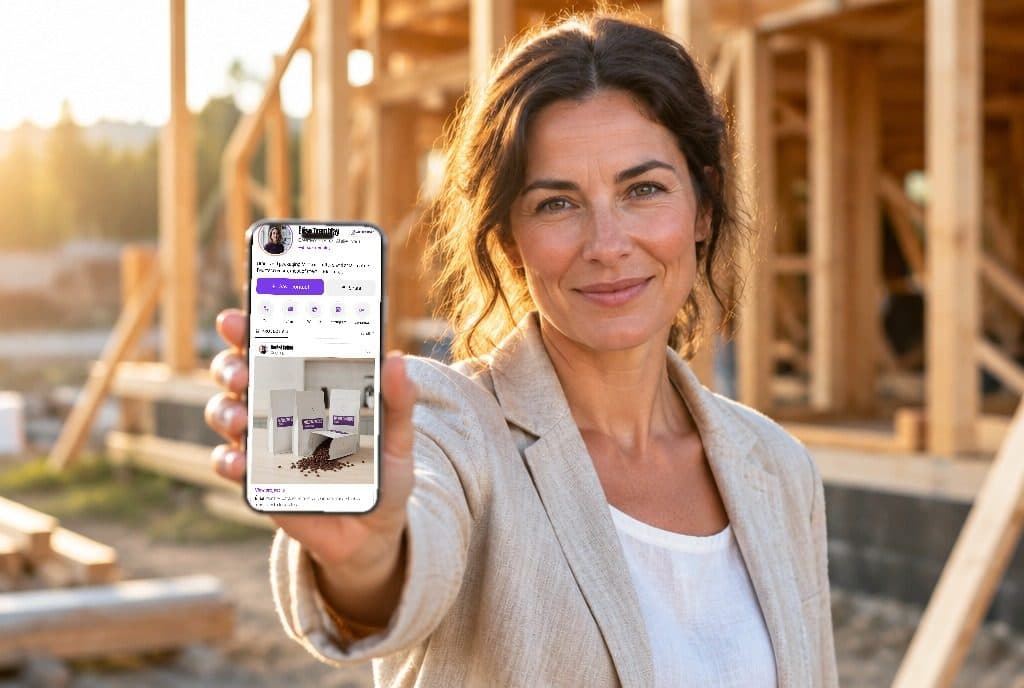
#One that puts your photo first and saves it into the client’s contacts, shows listings or past sales as projects, and has a one-tap call button. NFC or Wallet features matter less than being recognised.
Should realtors put their photo on their business card?
#Yes. Clients often meet several agents, and a photo is what lets them match a name to a face later.
What should a photographer’s digital business card include?
#A few of your best images, your specialities, your booking contact and a link to your portfolio. Let the work be the largest thing on the card.
What should a musician’s business card include?
#Your name or act, what you play, links to listen, a booking contact and your social profiles. A digital card can link straight to your music.
Do artists need business cards?
#At shows and fairs, yes: it is how a visitor finds you again. A digital card that shows a few works does that better than a name alone.
Do authors need business cards?
#Useful at events and signings: your name, your books, where to buy them and how to reach you or your agent.
What should a doctor’s digital business card include?
#Name, specialty and credentials, the practice’s address and appointment number, and booking or patient portal links. Keep personal numbers off it.
What should a hair stylist put on a business card?
#Your name, the salon, a booking link or number, your Instagram and a few photos of your work.
What title should a business owner put on their card?
#The one that tells people what you do for them. “Founder” or “Owner” is fine, but a line such as “Kitchen design, Dublin” is often more useful.
What should a cleaning or pet-sitting business put on its card?
#What you do, the area you cover, how to book, and a few reviews or photos. A friendly photo of you builds trust for in-home services.
What should go on the back of a business card?
#A QR code to your digital card, a short line on what you do, or a space for notes. Keep the front for your name and contact.
Can I put my Venmo or payment QR code on my business card?
#You can add a payment link to a digital card, and Ravencard lets you add your own labelled links. On paper, a second QR code can confuse people, so label each one clearly.
Can I put a video on my digital business card?
#Many apps let you add a video link. In Ravencard, a project carries images, documents and a link, and the link can point to a video.
Comparisons and alternatives
#Is my LinkedIn QR code enough, or do I need a digital business card?
#A LinkedIn code opens your profile, but it doesn’t save you to someone’s contacts and only works well for people on LinkedIn. A card does both, and can link to LinkedIn.
How do I find my LinkedIn QR code?
#In the LinkedIn mobile app, tap the QR icon in the search bar and open the My code tab.
Do I need a website if I have a digital business card?
#Not to be reachable: a card covers who you are and how to contact you. A website still helps if people need to read about services, prices or a portfolio in depth.
Email signature or business card: what’s the difference?
#A signature goes with every email you send; a business card is for people you meet. Put your card link in your signature so both lead to the same place.
Can I put my Linktree QR code on a business card?
#Yes, but a Linktree page lists links and doesn’t save you to contacts. A card QR code does that and can include the same links.
What’s better than Linktree?
#For meeting people, a digital business card, because it saves you into their phone. For an online audience, a link page or your own website.
Popl or Blinq: which is better?
#Popl is built for event and sales teams and doesn’t publish web prices; Blinq has the most App Store ratings and a strong free plan. Our comparison lays out prices and features side by side.
Blinq or HiHello: which is better?
#HiHello’s free plan gives more cards (four against two) and five scans a month; Blinq’s Premium is $9.99 a month. Both run on iPhone and Android and have Wallet passes.
Is Blinq legit and safe?
#Blinq is an established app with about 132,000 ratings averaging 4.87 on the US App Store on 4 October 2026. As with any app, read its privacy policy before adding personal details.
Do digital business card platforms lock you in?
#Your link only works while the service runs, but the contacts people saved stay in their phones. Choose a service whose card still works if you stop paying; Ravencard’s free card does.
Longer answers
#Some questions need more than a few lines. These posts answer them in full: